

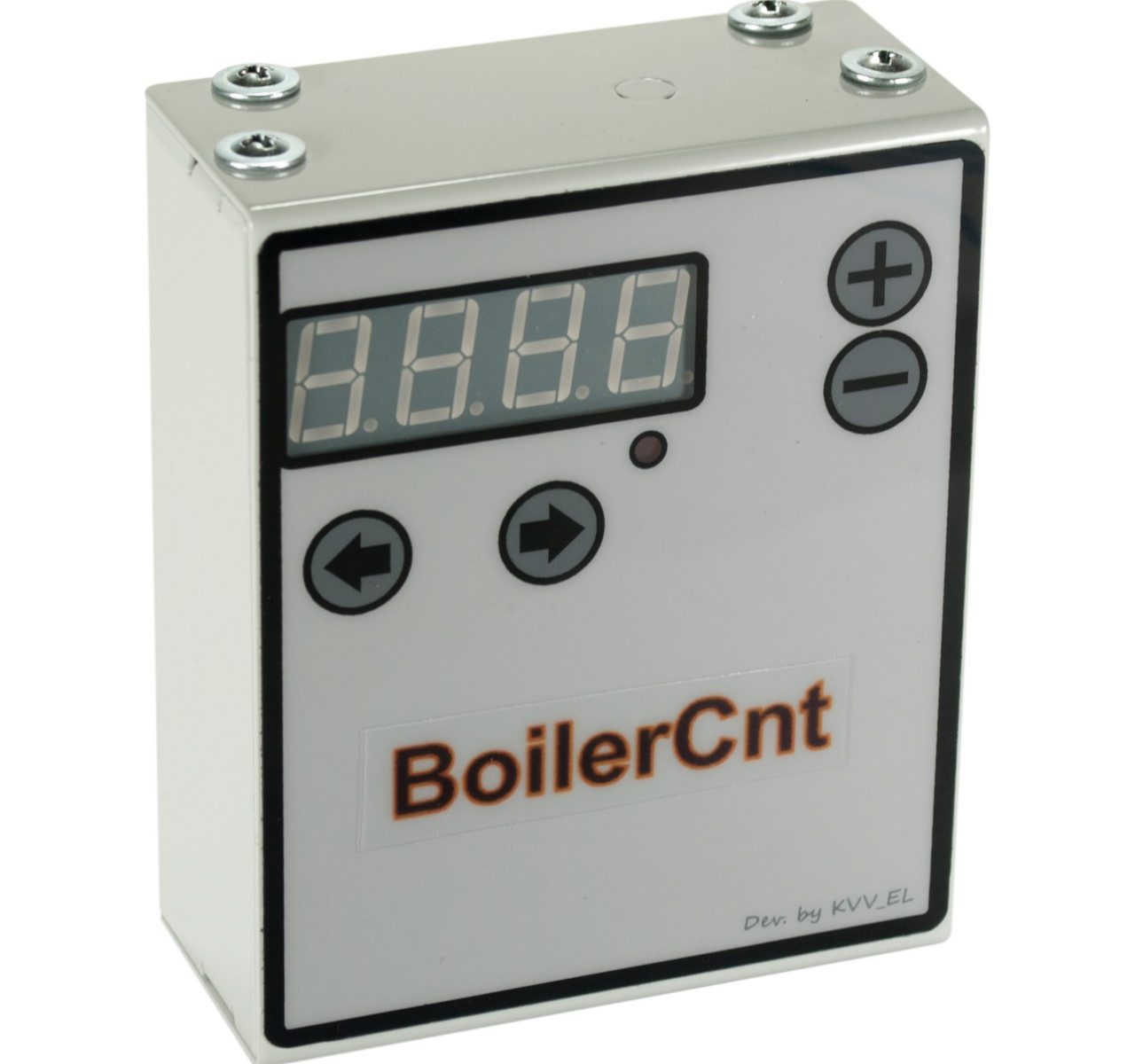
BoilerCnt is a digital hardware-software controller designed specifically for electric water heaters (boilers). The device helps significantly reduce electricity costs and extends the lifespan of the boiler by intelligently scheduling its operation only when hot water is actually needed throughout the day.
Cost savings are achieved by turning off the boiler during idle periods when hot water is not required (e.g., at night, during working hours). Allowing the water temperature to drop reduces heat loss through the boiler’s thermal insulation. Because heat transfer is driven by the temperature differential between the water inside the tank and the ambient air in the room, reheating the water to the target temperature ultimately consumes less energy than continuously maintaining that high temperature.
Empirical Results
Energy consumption tests were conducted on various boilers over an 8-hour period. We compared standard energy consumption (where the boiler is constantly on to maintain a set temperature) against a scheduled mode (where the boiler reaches target temperature, is completely powered off for 8 hours, and then powered back on to reheat). In the scheduled scenario, total electricity consumption was measured during the final reheating phase. The results demonstrated net energy savings of 4% to 12% (depending on the boiler’s thermal insulation quality) compared to 8 hours of continuous temperature maintenance.
The longer the boiler remains powered off, the greater the accumulated savings.
Further savings can be realized by carefully setting the boiler to turn off right after periods of active use, maintaining the lowest possible water temperature during downtime to minimize heat loss. The power-on time should be scheduled slightly in advance of the next usage period, factoring in the time required to heat the tank volume.
Example: It is highly effective to set two operating intervals (turn-on and turn-off points) per day: morning and evening. The boiler turns on 1-2 hours before hot water is needed and turns off right as usage begins. In practice, this schedule has been shown to reduce boiler energy consumption by up to one-third.
Additional financial savings are possible by scheduling the boiler to operate exclusively during off-peak nighttime tariffs (for users with dual-tariff electricity meters).
General Information
BoilerCnt is a specific implementation of the Universal Flexible Solution, tailored specifically for water heater control.
Key Features and Operating Modes
The device features multiple operating modes:
- Time-of-day scheduling based on preset time intervals (Main Mode);
- Countdown timer mode (boiler runs for a specified duration);
- Manual Override (On/Off).
The user settings interface features a hierarchical (tree-structured) menu, allowing for highly flexible parameter configuration.
In Main Mode, users can configure up to three time intervals (points) per day. Each point can be independently enabled or disabled, with specific turn-on and turn-off times.
In Timer Mode, the user sets a duration in minutes during which the boiler will remain active.
Manual Mode simply forces the boiler into an ON or OFF state.
Advantages:
- High reliability: A minimum component safety factor (derating margin) of 1.25 ensures maximum durability. The device is guaranteed to operate reliably across a wide range of supply voltages and can handle maximum (and slightly exceeding) rated currents without risk of failure;
- Simple installation and configuration;
- A rugged metal enclosure with a powder-coat finish ensures high mechanical strength and fire safety.
Device Interface and Controls
The device (Fig. 1) is configured using four control buttons (2, 3, 5, 6) and a seven-segment LED display (1). An active load LED indicator (4) shows when the boiler is powered. A main power switch (7) turns the device on/off. Mounting keyholes (8) are provided for installation. Wiring is secured via input/output terminal blocks (9, 10).

Wiring and Installation
Wiring is performed using the terminal blocks (Fig. 1, items 9, 10). It is highly recommended to install the device (Fig. 2) in series between the circuit breaker and the boiler.

The live wires coming from the circuit breaker must be connected to the “In” terminal block, and the wires going to the boiler must be connected to the “Out” terminal block. The device will not function if wired inversely.
When connecting wires, it is highly recommended to use insulated wire ferrules or insulated fork terminals. Wiring must be routed carefully to absolutely prevent any contact between live conductors and the metal enclosure.
The device can be mounted using the rear keyholes (Fig. 1, item 8) utilizing wall anchors, self-tapping screws, or appropriately sized hardware. It can also be affixed to smooth surfaces using heavy-duty double-sided mounting tape.
WARNING! All electrical connections must be made exclusively while the power line is completely de-energized!!!
The length of the stripped wire ends must be carefully measured to ensure no exposed conductive wire touches the metal enclosure.
The penetrating portion of any mounting screws must not enter the enclosure by more than 10 mm. Exceeding this depth can cause catastrophic internal damage and will immediately void the warranty. Disassembly or tampering (breaking warranty seals) will also void the warranty.
Initial Startup and Configuration
Once wired securely, apply power by turning on the circuit breaker and pressing the device’s main power switch (Fig. 1, item 7).
The device operates in three modes:
- Time-of-day scheduling (Main Mode): Configures up to three daily intervals with specific ON/OFF times. Each point can be independently enabled/disabled;
- Timer Mode: Turns the boiler on for a set duration ranging from 0 to 300 minutes;
- Manual Override: Forces the boiler into an ON or OFF state.
Upon startup, the device defaults to Main Mode, displaying the current time. To enter Manual Mode, press and hold the “Back” button for at least one second until “OFF” appears. Use the “+” or “-” buttons to set the desired boiler state (On / OFF). To return to Main Mode, press “Back” again or restart the device.
To enter Timer Mode, press and hold the “+” or “-” button in Main Mode for at least 1 second. The display will show the default timer duration in minutes. Use the “+” and “-” buttons to adjust the countdown time. Press “Back” to exit to Main Mode manually, or wait for the timer to expire, after which the device automatically returns to Main Mode.
The active load LED (Fig. 1, item 4) indicates the boiler’s physical state. Illuminated means power is flowing to the boiler; dark means it is OFF.
To configure the device’s settings (from Main Mode), press the “Forward” button. The display will show “_” followed by the hierarchical menu index number. Navigation is handled via the “+”, “-“, “Forward”, and “Back” buttons. Pressing “Back” repeatedly backs out of the menu tree until the current time is displayed again. The “+” and “-” buttons increment/decrement menu items or values. “Forward” enters a submenu or confirms a setting. “Back” exits the current setting or moves up a menu level.
When modifying a specific parameter (e.g., setting the clock), use “Forward” and “Back” to select the specific field (hours or minutes); the active field will flash. Pressing “Forward” confirms the value and exits the setting field to the upper menu level, saving the changes. Pressing “Back” while editing exits the setting field without saving the entered values.

Attention! Upon startup/reboot (e.g., after a manual power cycle or a power outage), the device will always safely default to Main Mode operation.
